Street Sign Board 3D Mockup: A Visual Tool for Urban Branding and Design
Designers and brand agencies often seek realistic ways to present signage concepts before they go live in the real world. One powerful tool that has emerged in recent years is the Street Sign Board 3D Mockup. This digital asset allows creative professionals to visualize large-format signage in a dramatic, urban setting—offering a compelling preview of how branding will appear in a real-world environment.
Understanding the Street Sign Board 3D Mockup
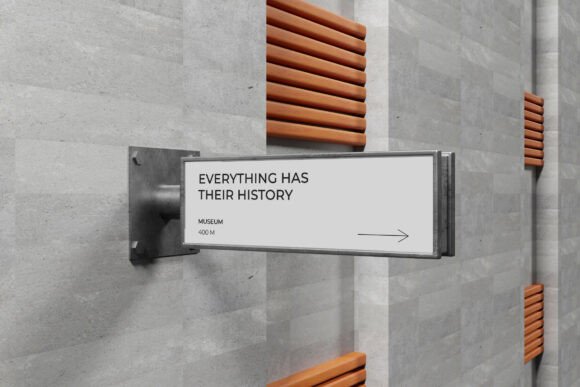
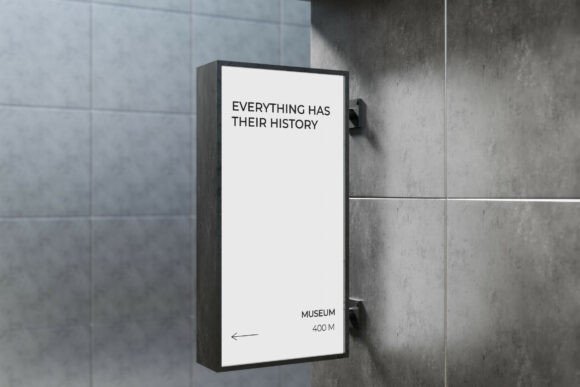
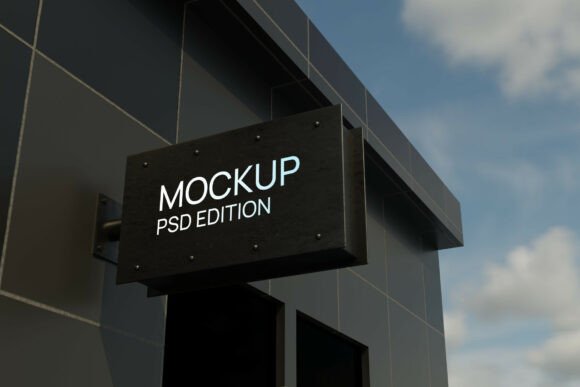
The Street Sign Board 3D Mockup is a high-resolution digital template that features a large backlit signage panel mounted on the exterior of a dark commercial building under an open sky. The mockup is designed to simulate the look and feel of real-world signage installations, making it ideal for storefront branding, corporate identity displays, and commercial real estate presentations.
It comes in a layered PSD file format, complete with smart object layers that allow for easy customization. Users can simply double-click a layer, insert their design, and save it back into the template. This streamlined workflow makes the mockup both accessible and efficient, even for designers who are not 3D modeling experts.
Key Features of the Mockup
- High-Resolution Output – 4000 x 3000 pixels at 300 dpi, suitable for print and digital use.
- Smart Object Layers – Simplify the design integration process.
- Urban 3D Environment – Features a dark commercial building with dramatic lighting and an open sky backdrop.
- Included Help Guide – PDF instructions to guide users through setup and customization.
Why This Mockup Stands Out
Unlike generic mockups, the Street Sign Board 3D Mockup offers a bold architectural scale and high-contrast visuals that enhance the perception of signage in a real-world context. This realism is especially valuable when presenting to clients or stakeholders who may not be familiar with how design elements translate to physical installations.
The mockup’s urban aesthetic makes it particularly effective for projects in commercial districts, downtown areas, or modern building developments. Its dramatic lighting and cinematic feel also make it a favorite among designers looking to create visually striking presentations.
Who Benefits from Using This Mockup?
- Brand Agencies – Can showcase storefront branding and outdoor identity with photorealistic accuracy.
- Architects and Urban Planners – Use it to visualize how signage integrates with commercial buildings and urban landscapes.
- Graphic Designers – Easily present signage concepts to clients without needing advanced 3D modeling skills.
- Commercial Real Estate Developers – Demonstrate how branding will appear on properties before installation.
Real-World Applications of the Mockup
Let’s explore a few practical scenarios where the Street Sign Board 3D Mockup proves invaluable:
- Retail Storefronts: Imagine designing a new logo for a boutique and being able to show the client how it will look on a backlit sign above their store entrance. The mockup provides that visual clarity instantly.
- Corporate Campuses: For large companies updating their campus signage, this mockup helps visualize the scale and impact of new branding elements.
- Billboard Design: Though not limited to billboards, the mockup’s large-format design capabilities make it suitable for outdoor advertising concepts.
- City Branding Projects: Municipalities or tourism boards can use the mockup to test how new wayfinding or promotional signs integrate into urban settings.
Strengths and Considerations
One of the standout strengths of the Street Sign Board 3D Mockup is its ease of use. With smart object layers and a clear help guide, even beginners can create professional-grade visuals. Additionally, the high-resolution output ensures that the final renderings are crisp and suitable for presentations or print materials.
However, it’s important to note that stock images used within the mockup are not included. Users must provide their own background or contextual images if they wish to customize beyond the included design layers. This can be a minor limitation for those who don’t have access to high-quality urban photography or 3D assets.
What to Expect When Using This Mockup
Designers can expect a seamless integration process with Adobe Photoshop. The mockup’s layered structure allows for precise control over lighting, shadows, and perspective, giving users the ability to fine-tune the final output for maximum realism.
For best results, it’s recommended to use high-resolution design files when inserting into the smart object layers. Low-resolution artwork may appear pixelated once rendered in the final mockup, especially when used in large-scale presentations.
Evaluating Suitability for Your Project
Before deciding whether the Street Sign Board 3D Mockup is right for your project, consider the following:
- Target Audience: Is your client or stakeholder likely to benefit from a realistic preview of signage in an urban setting? If yes, this mockup is ideal.
- Project Scope: Are you designing for a storefront, office building, or commercial property? The mockup’s architectural scale suits large-format signage best.
- Technical Skill Level: Do you or your team have access to Photoshop and a basic understanding of smart objects? If not, some training or support may be needed.
Final Thoughts
The Street Sign Board 3D Mockup is more than just a design tool—it’s a bridge between concept and reality. Whether you're a brand strategist, urban designer, or graphic artist, this mockup can elevate your presentations and help your clients visualize the final product with clarity and confidence.
Its combination of high resolution, dramatic visuals, and user-friendly format makes it a go-to asset for professionals who want to showcase signage in a realistic, impactful way. While it does require a bit of technical know-how and external image assets, the benefits far outweigh these minor limitations.
If you're working on a signage project that demands realism, scale, and presentation-ready visuals, the Street Sign Board 3D Mockup could be the tool that brings your vision to life.