Folder Graphics 3D Icons: Visual Tools for Modern File Organization
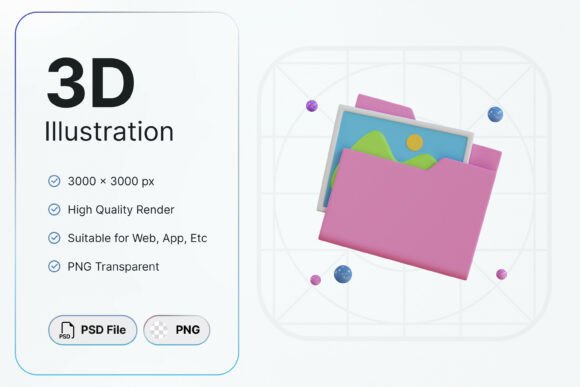
Folder Graphics 3D Icons offer a clean, professional way to visually represent file organization, digital storage, and creative resource management. These icons feature a stylized 3D folder containing image assets, making them ideal for designers, content creators, and small business owners who need intuitive visual cues in their digital workflows.
The design is modern yet functional, combining subtle depth with a minimalist aesthetic. With a transparent background and high-resolution dimensions of 3000x3000px, each icon is crisp and scalable, suitable for both web and print use. The assets come in PNG and PSD formats, ensuring compatibility with major design software and content management systems.
Designed for Clarity and Consistency
One of the key strengths of Folder Graphics 3D Icons is their consistency. Each icon maintains the same visual language, contributing to a cohesive brand identity and user experience. The 3D rendering gives depth without overwhelming the layout, making them particularly effective in dashboards, asset libraries, and editorial design projects.
These icons work seamlessly in environments where visual hierarchy matters. Whether used in a website’s navigation menu, a mobile app interface, or a printed project roadmap, they help guide the viewer’s eye and improve overall usability. Their high resolution ensures they remain sharp even when scaled for large format prints or retina displays.
Practical Applications Across Creative Workflows
Folder Graphics 3D Icons are versatile enough to support a wide range of digital and print applications. Designers working on brand identity projects can use them in presentations or style guides to illustrate digital asset organization. Entrepreneurs and marketers can integrate them into landing pages, email templates, or social media graphics to enhance visual storytelling.
- Web design interfaces needing intuitive file navigation
- Content management systems requiring visual asset representation
- Editorial layouts where file structure needs to be clearly communicated
- Packaging design for digital products or boxed sets
- Print materials like infographics or project documentation
Because they are delivered with a transparent background, these icons can be layered easily over various design elements without clashing. This makes them especially useful in dynamic layouts where background colors or textures change frequently.
What You Get and How to Use It
The package includes one PNG file and one PSD file, both at 3000x3000 pixels. The PNG file is ideal for quick placement in design software or direct use on websites, while the PSD allows for more detailed layer manipulation in Photoshop or compatible tools.
It’s important to note that these icons are not editable in terms of color or shape. This ensures consistency across uses but also means they should be selected based on their visual fit from the start. If your project requires a specific color scheme or custom shapes, you may want to consider complementary assets that can be adjusted accordingly.
Choosing the Right Icon for Your Project
When selecting Folder Graphics 3D Icons for a project, consider both the visual tone and the practical needs of your design. These icons are best suited for modern, clean interfaces where file structure and organization play a key role. They are not display fonts or decorative elements—rather, they serve a functional purpose while maintaining aesthetic appeal.
Here are a few practical tips for integrating these icons effectively:
- Test in context: Place the icon within your layout to see how it interacts with surrounding elements.
- Consider contrast: Ensure the icon stands out enough against backgrounds without overpowering the design.
- Pair with compatible assets: Use them alongside other design elements that share a similar visual style.
- Evaluate scalability: Since these icons are high resolution, they can be used at various sizes without quality loss.
Final Thoughts: A Solid Addition to Any Creative Toolkit
Folder Graphics 3D Icons offer a practical, visually appealing solution for representing file organization and digital resource management. Whether you're building a website, designing a content management system, or creating print materials for a creative project, these icons provide clarity and professionalism.
By focusing on usability and visual harmony, these icons help maintain a clean, intuitive design language. They’re especially valuable for teams managing digital assets, as they provide a consistent visual cue across platforms and documents. When used thoughtfully, they enhance both the aesthetic and functional value of your design work.