Brush Tools 3D Icons for Creative Workflows
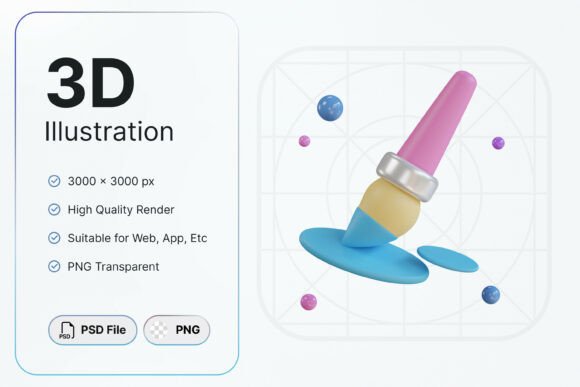
Brush Tools 3D Icons is a digital asset pack designed for creative professionals, educators, and design enthusiasts who work within graphic design software, digital art platforms, and educational content creation. This set features a stylized 3D paintbrush accompanied by paint elements, visually representing drawing, painting, illustration, and creative design workflows. The icon pack is intended to enhance visual communication in design-related projects, software interfaces, tutorials, and presentations.
Each asset in the Brush Tools 3D Icons collection is delivered as a high-resolution file measuring 3000x3000 pixels. This resolution ensures clarity and scalability across a wide range of applications, from mobile interfaces to print materials. The set includes one PNG file and one PSD file, both with transparent backgrounds, allowing for seamless integration into various design environments without the need for additional editing.
Why Creative Professionals Consider Brush Tools 3D Icons
Creative professionals often seek visual assets that are both high-quality and immediately usable. Brush Tools 3D Icons addresses this need by offering a ready-to-use solution that minimizes preparation time. The transparent background and high resolution make these icons especially suitable for overlaying on different backgrounds, integrating into user interfaces, or using in layered design projects.
Graphic designers and illustrators may find these icons useful when developing branding materials, application interfaces, or tutorial visuals that require a consistent and professional aesthetic. Educators and content creators may also benefit from the visual clarity these icons provide when explaining digital art workflows, creative software features, or design principles.
Key Features and Practical Benefits
- Ready-to-use assets: The icons are pre-designed and optimized, reducing the time needed to source or create similar visuals from scratch.
- Transparent background: This feature allows for easy integration into various design compositions without requiring additional cleanup or masking.
- High-resolution files: At 3000x3000 pixels, the icons maintain sharpness and detail even when scaled for large-format use.
- Multiple file formats: The inclusion of both PNG and PSD files offers flexibility, especially for users who need layered files for further customization within Adobe Photoshop.
Limitations and Important Considerations
While Brush Tools 3D Icons provides several advantages, it's important to understand its limitations. One key constraint is that the assets cannot be modified in terms of color or shape. This may limit their adaptability for projects requiring specific color schemes or custom icon styles. Designers who need full control over icon customization may need to look for vector-based alternatives or assets with editable layers.
Additionally, the set contains only one icon design. Users looking for a broader library of tools or variations may find this offering too limited for extensive interface design or multi-purpose branding needs. In such cases, a more comprehensive icon suite or custom illustration might be a better fit.
When Brush Tools 3D Icons Is a Strong Choice
This icon set works best in situations where a clean, recognizable visual of a digital brush is needed without the need for extensive customization. It is particularly effective for:
- Design tutorials or educational content focusing on digital painting and illustration
- Software interface elements in creative applications
- Marketing materials for digital art tools or creative software
- Presentations or infographics that explain design workflows
- Projects requiring high-quality visuals with minimal setup time
If your project requires a polished, professional brush icon that integrates easily into your existing design environment and does not require changes in color or form, Brush Tools 3D Icons can be a practical and efficient choice.
When Alternatives May Be Worth Exploring
However, if your design goals include:
- Customizing icon colors or shapes to match brand guidelines
- Using a variety of tools or icons beyond a single brush design
- Working in vector-based formats for scalability and editing flexibility
- Creating multi-use icon sets for application development or UI/UX design
…then exploring vector icon libraries, editable SVG sets, or custom design solutions may be more appropriate. Alternatives that offer broader customization options or more extensive icon collections may better align with long-term design needs.
Making the Right Choice for Your Project
Selecting the right icon set depends on your specific use case, design requirements, and available resources. Brush Tools 3D Icons delivers a focused, high-quality visual asset that excels in clarity, usability, and integration when customization is not a priority. Its strength lies in simplicity and immediate applicability for creative professionals and educators who need a reliable visual element for digital art-related content.
Before making a decision, consider whether the fixed design of the icon meets your aesthetic needs and whether the included formats (PNG and PSD) align with your workflow. If so, Brush Tools 3D Icons can serve as a valuable asset in your creative toolkit. If not, it may be worth investing in a more flexible or comprehensive design resource that better supports your creative direction.